
Comm Plan
The Comm Plan tab manages radio frequency assignments. Each row is a communication preset, and the number of rows adapts to your template (typically 10 or 20).
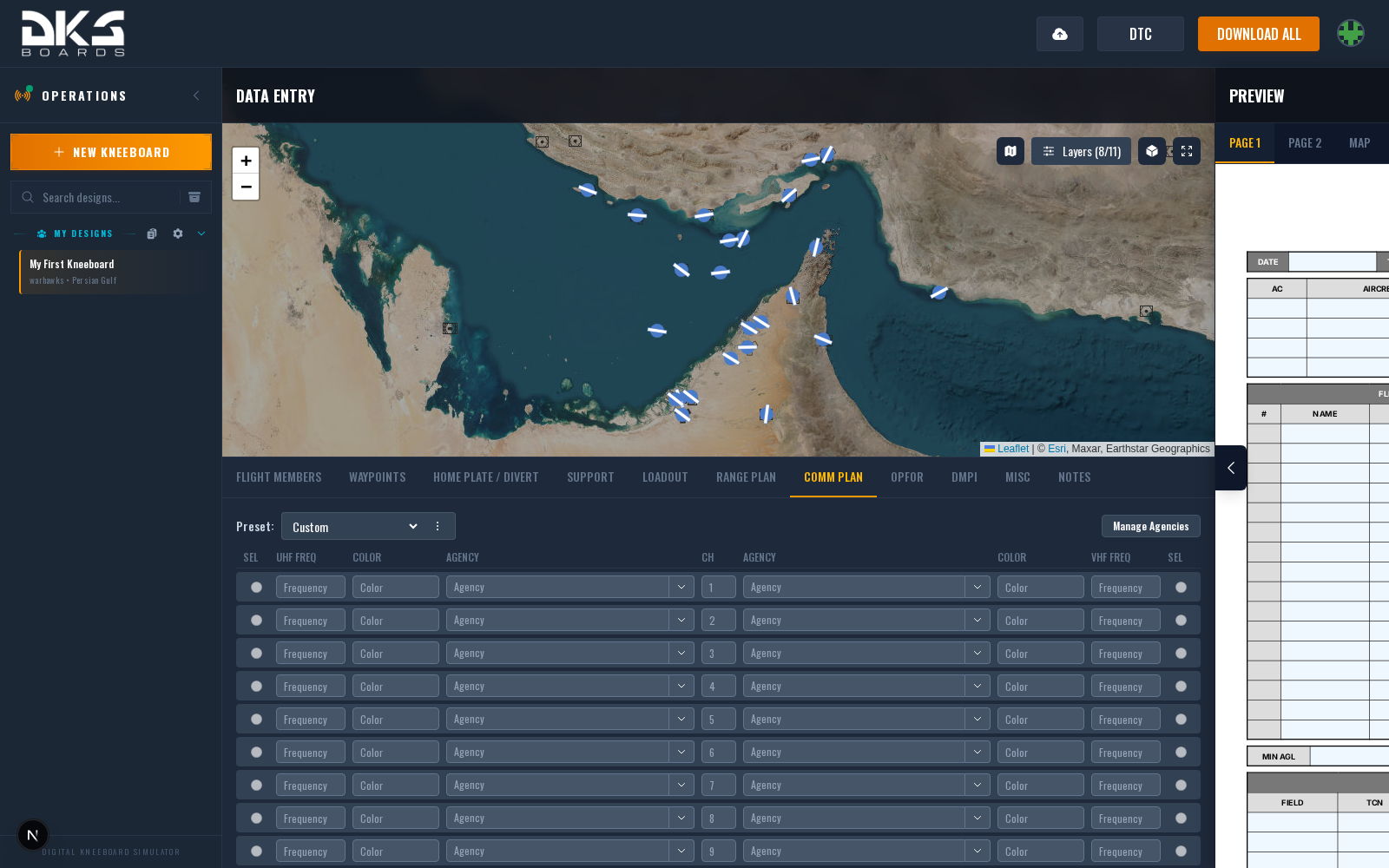
Row Fields
Every preset row includes a channel number and one or more agency/frequency pairs. The channel auto-fills with the row number the first time you enter data in that row.
| Field | Description | Example |
|---|---|---|
| Channel | Radio channel number. Auto-populated when you first enter data in the row. Highlighted red if left empty on a row that has other data. | 1 |
| Agency | Name of the controlling agency or unit. Supports autocomplete from your squadron's agency library. | MAGIC |
| Frequency | Radio frequency in MHz. | 251.000 |
| Color | Optional color-of-the-day or net color identifier for this agency. | RED |
The number of frequency columns depends on your template. Some templates show up to 4 agency/frequency pairs per row; others show 2. Columns that your template does not use are hidden automatically.
Agency Library
When your design belongs to a squadron, the agency name field doubles as a search box. Selecting a saved agency auto-fills the name and frequency. Editing the frequency afterward converts it to a manual entry and removes the link to the saved agency.
A Manage Agencies button in the top-right opens the squadron agency settings where you can add, edit, import, or export agencies. Agencies can be scoped to a specific theater or shared across all theaters.
Aircraft-Specific Layouts
The comm plan layout changes based on your selected aircraft.
Fighter Layout (F-16C, Generic)
Uses UHF and VHF frequency columns with a shared channel number in the center. Each side also has a SEL radio button that marks a preset as the default for that radio (UHF or VHF). Only one preset can be selected as default per radio.
F/A-18C Hornet
First section labeled PRI / AUX (the Hornet's two radios both cover VHF/UHF). Additional columns appear as COMM 3/4 if the template uses them.
A-10C Warthog
Three radio sections: VHF AM, VHF FM, and UHF, matching the aircraft's three physical radios.
AH-64D Apache
A dedicated layout with 10 rows and columns for CH, NAME (agency), CALLSIGN, UHF, VHF, FM1, FM2, and HF -- reflecting the Apache's five-radio stack.
Hover a frequency cell for its ⋮ menu. Each cell can carry two independent marks, and a cell can hold both:
- Primary for this channel -- which radio you actually work this agency on. One per channel row; the cell is outlined, and it's highlighted on the kneeboard comm card. Reference only; it changes nothing in the jet.
- <radio> comes up here -- which channel that radio is already tuned to when you climb in. One per radio (marking a cell clears that radio's mark on the other channels); the cell gets a small dot. This is a cartridge value: the DTC loads it as the radio's initial preset, so the aircraft starts on your plan instead of preset 1.
"Comes up here" is the same setting the Viper, Chinook and Hercules have always had for their two radios -- it just covers all five now, and every airframe reads it from the same place.
If the template also has a Push Set table, marking a push set as the one the flight comes up on (the power glyph in its ON column) takes precedence: the channels that row names program every radio at once. Radios the default push set doesn't name fall back to their own mark. See Push Set below.
Only the AH-64D uses the dedicated Apache layout. All other aircraft (including the OH-58D) use the standard or fighter layout, with column labels adapting to the selected template.
Push Set
Templates with a Push Set block get a second table under the comm plan. Each row is one push set / phase of the mission, and its five radio cells name the channel each radio dials when that set is called -- a phase-to-preset map rather than a second list of frequencies. The cells offer your comm plan's channels as you type, and stay free text for anything the plan doesn't hold.
The ON column selects the push set the flight comes up on. Picking a row sets each radio's comes up here mark on the comm plan to the channel that row names -- the radios always show exactly what the jet will start on, and the DTC reads them, not the push set. The row stays selected for as long as the radios still match it: change a radio afterwards and the selection moves to whichever row now matches, or goes blank when none does. The whole selected row is highlighted on the kneeboard.
A cell the comm plan can't identify sets nothing, and a cell left blank leaves that radio's mark alone -- a set that only names three radios says nothing about the other two.
MIDS Voice Channels
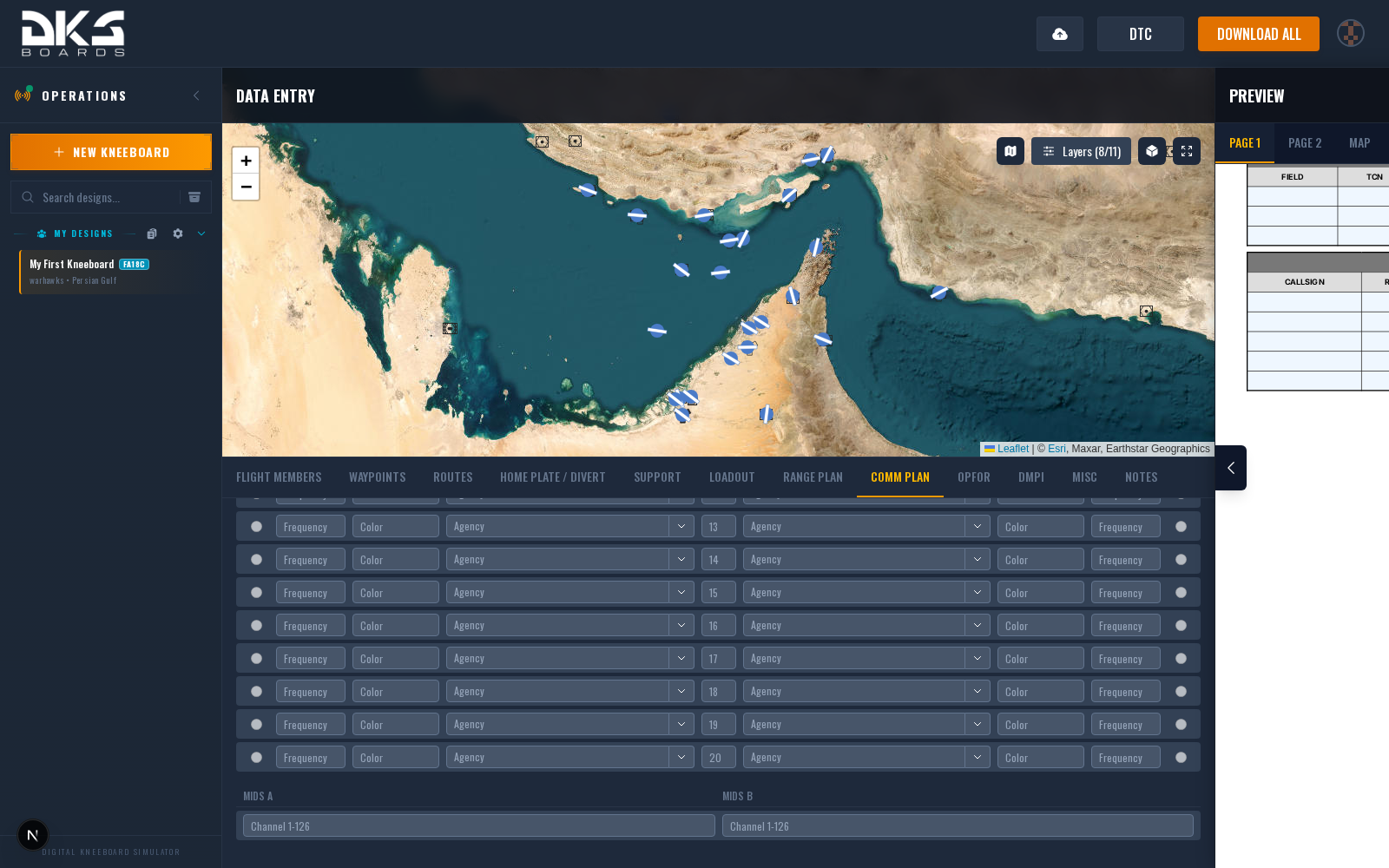
When the template includes MIDS fields (F/A-18C), two additional fields appear below the preset grid:
| Field | Description | Example | Aircraft |
|---|---|---|---|
| MIDS A | Link 16 voice channel A. Accepts a channel number from 1 to 126. | 42 | F/A-18C |
| MIDS B | Link 16 voice channel B. Accepts a channel number from 1 to 126. | 84 | F/A-18C |
Package Master Designs
In a package master design, the comm plan tab shows the Package Agency Manager instead of the standard preset grid. This lets you define a shared pool of agencies available to all flights in the package. See the Package Flights page for details on the manager and how flights consume it.
Linking to the Package Comm Plan
When a flight belongs to a package, the inheritance toggle at the top of the Comm Plan tab lets you switch between Package (linked) and Custom (editable).
Linked mode replaces the editable grid with a read-only preview of the comm plan that is auto-generated from the package's ordered agencies and this aircraft's radios:
- Agencies are matched to the frequency bands your airframe can actually reach. Unreachable agencies are skipped and a warning is shown.
- Ground / Tower / Departure agencies are only included when their tagged location is within roughly 5 nm of your start point. Arrival agencies match your final waypoint. Mission agencies apply to everyone.
- Preset numbers are unified across flights in the package wherever their radios allow, so the same channel on everyone's radio points at the same agency. When airframes can't line up, the system falls back to per-flight numbering and warns about the divergence.
Warnings appear directly above the preset table (no reachable radio, preset divergence, missing location for a ladder role, radio slot full).
MIDS A and MIDS B stay editable in linked mode — they're per-pilot voice channel assignments, not part of the shared agency pool.
The AH-64D has five radios (UHF/VHF/FM1/FM2/HF), but the initial linked-mode implementation only maps four slots. Linked Apache flights show an "unsupported — unlink to edit manually" notice. Unlink to use the normal five-radio Apache comm plan.