
Home Plate / Divert
The Home Plate / Divert tab stores your primary recovery airfield and up to two alternates. This data renders on your kneeboard for quick reference during emergencies or weather diverts.
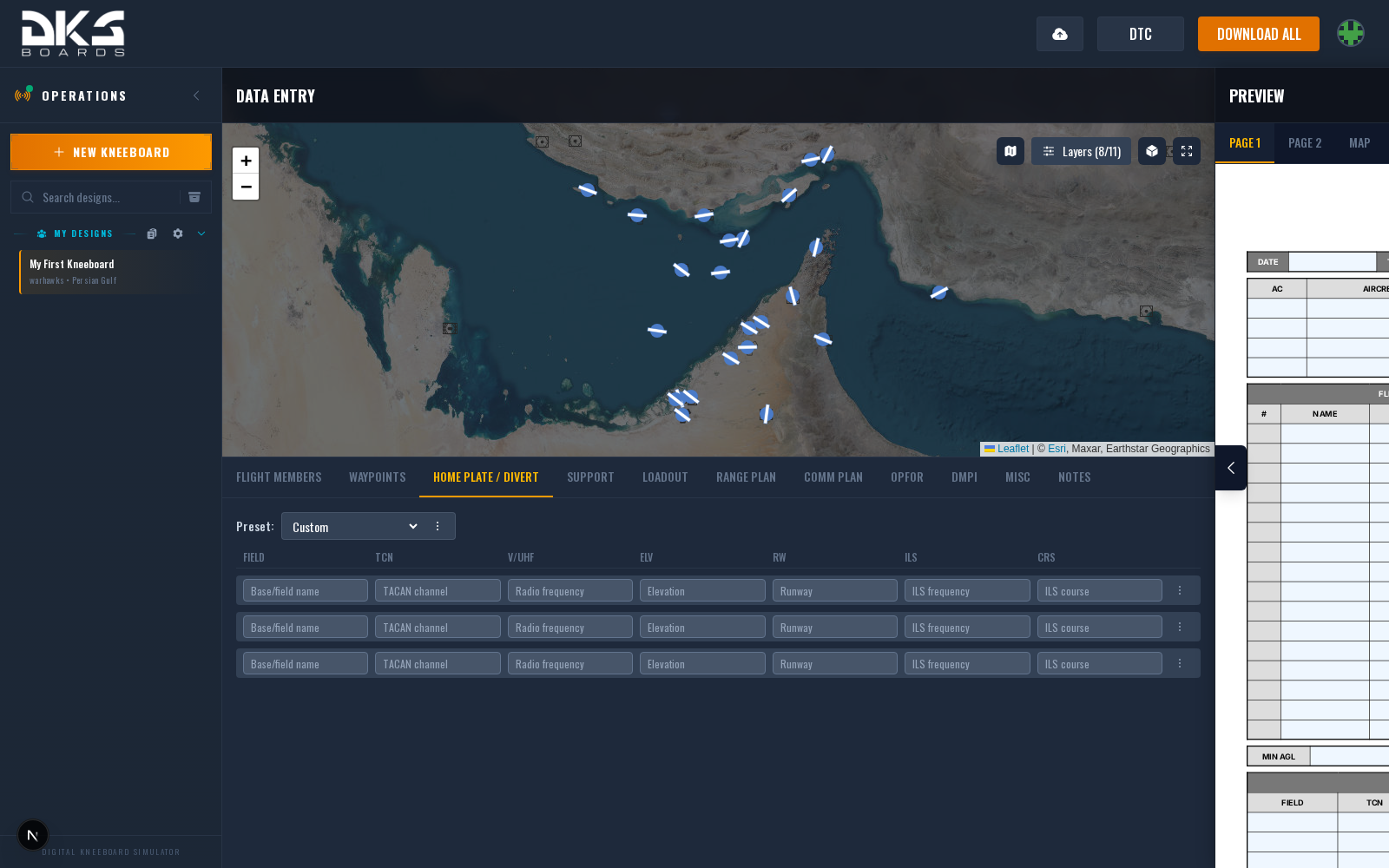
Airfield Fields
Three rows are available -- typically home plate, secondary, and tertiary recovery options:
| Field | Description | Example |
|---|---|---|
| Airfield | Airfield name or ICAO code. | Kutaisi |
| TACAN | TACAN channel and band. | 44X KTS |
| V/UHF | Tower or approach frequency. | 251.000 |
| Elevation | Field elevation in feet MSL. | 147 |
| Runway | Active runway. | 08 |
| ILS | ILS frequency for precision approach. | 110.30 |
Helicopter-Specific Fields
Rotary-wing templates add some or all of the following columns:
| Field | Description | Example | Aircraft |
|---|---|---|---|
| MGRS | Military Grid Reference System coordinates for the field. | 38T KM 1234 5678 | AH-64D / OH-58D |
| ATIS | Automatic Terminal Information Service frequency. | 128.400 | AH-64D / OH-58D |
| ADF | Automatic Direction Finder frequency. | 350 | AH-64D only |
| Notes | Airfield-specific notes (NOTAMs, hazards, procedures). | RWY 08 PAPI U/S | AH-64D / OH-58D |
Only fields used by your selected template pack are visible. Fixed-wing templates typically show TACAN, ILS, and frequency fields, while rotary-wing templates show MGRS and ATIS instead. You can also right-click an airfield on the tactical map and select "Add to Divert" to auto-populate a row.
Bingo Field
Open a row's actions menu (⋮) and choose Bingo to this field to make it the field auto BINGO flies home to. A BINGO tag marks the row. Only one row can carry it; with none set, Bingo is measured to home plate, or to the start point when home plate has no position.
A row you typed by hand has no position, so the tag shows in amber and Bingo falls back to the next choice. Pick the field from the list or the map to fix it.