
Tanker / Support
The Support tab defines mission support assets — aerial refueling tankers, AWACS, carriers, and other platforms. Up to 15 entries are supported.
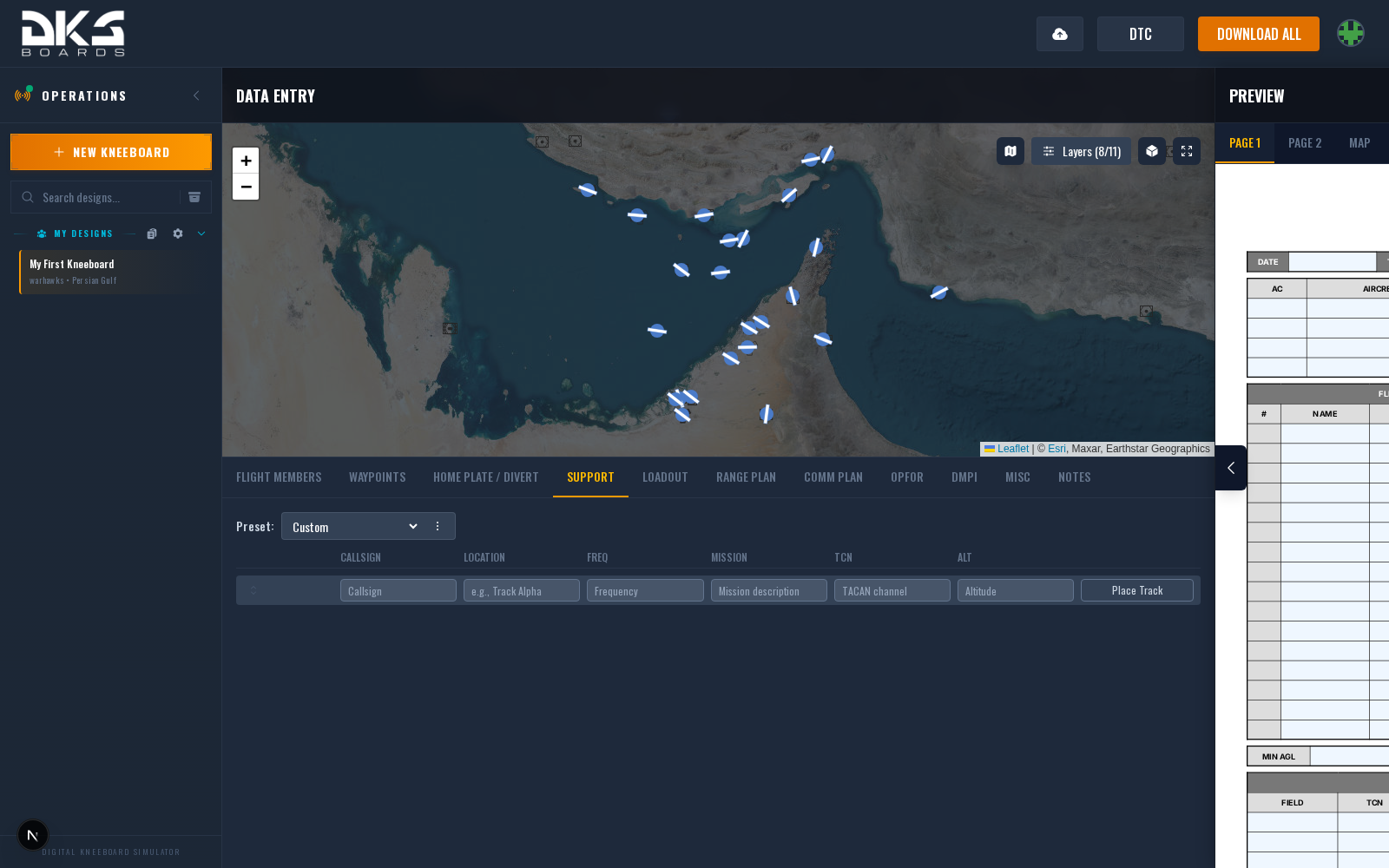
Support Asset Fields
Each row represents one support asset. Only columns used by the active template are shown.
| Field | Description | Example |
|---|---|---|
| Unit | Asset type or unit designation. | KC-135 |
| Callsign | Callsign code for the asset. | TEXACO |
| Location | Geographic area or track name. | AR-101 EAST |
| Freq | Contact frequency (V/UHF). | 265.000 |
| Mission | Role or mission type for the asset. | AAR |
| TCN | TACAN channel for rendezvous. | 100Y |
| Alt | Operating altitude in feet MSL. | FL250 |
Visibility Toggle
Each row with data has a visibility toggle (eye icon). Setting an asset to hidden keeps it in your data but excludes it from the exported kneeboard. Useful when many support assets are defined but only some apply to a given mission.
Map Integration
Each row has a Place Track button. Click it, then click the map to place a racetrack orbit pattern for that asset. Once placed, the track appears on the tactical map and can be repositioned by dragging its control points. Asset-linked rows (from the theater overlay or map context menu) get a Show Track / Hide Track toggle instead.
Edits to support fields (callsign, frequency, TACAN, etc.) automatically sync to the linked map asset.
Theater Overlay Integration
If your squadron has a theater overlay configured, support assets are pulled from it automatically and fill empty rows. This keeps tanker tracks, carrier positions, and AWACS orbits consistent across all squadron mission planning. Fields populated by the overlay are locked to prevent accidental edits.
Drag and drop rows to reorder support assets. The order in the form matches the order on your exported kneeboard.