
Loadout
The Loadout tab configures weapons, stores, and external equipment on your aircraft. It supports a shared flight loadout and per-pilot overrides, with an integrated weapons database for all supported aircraft.
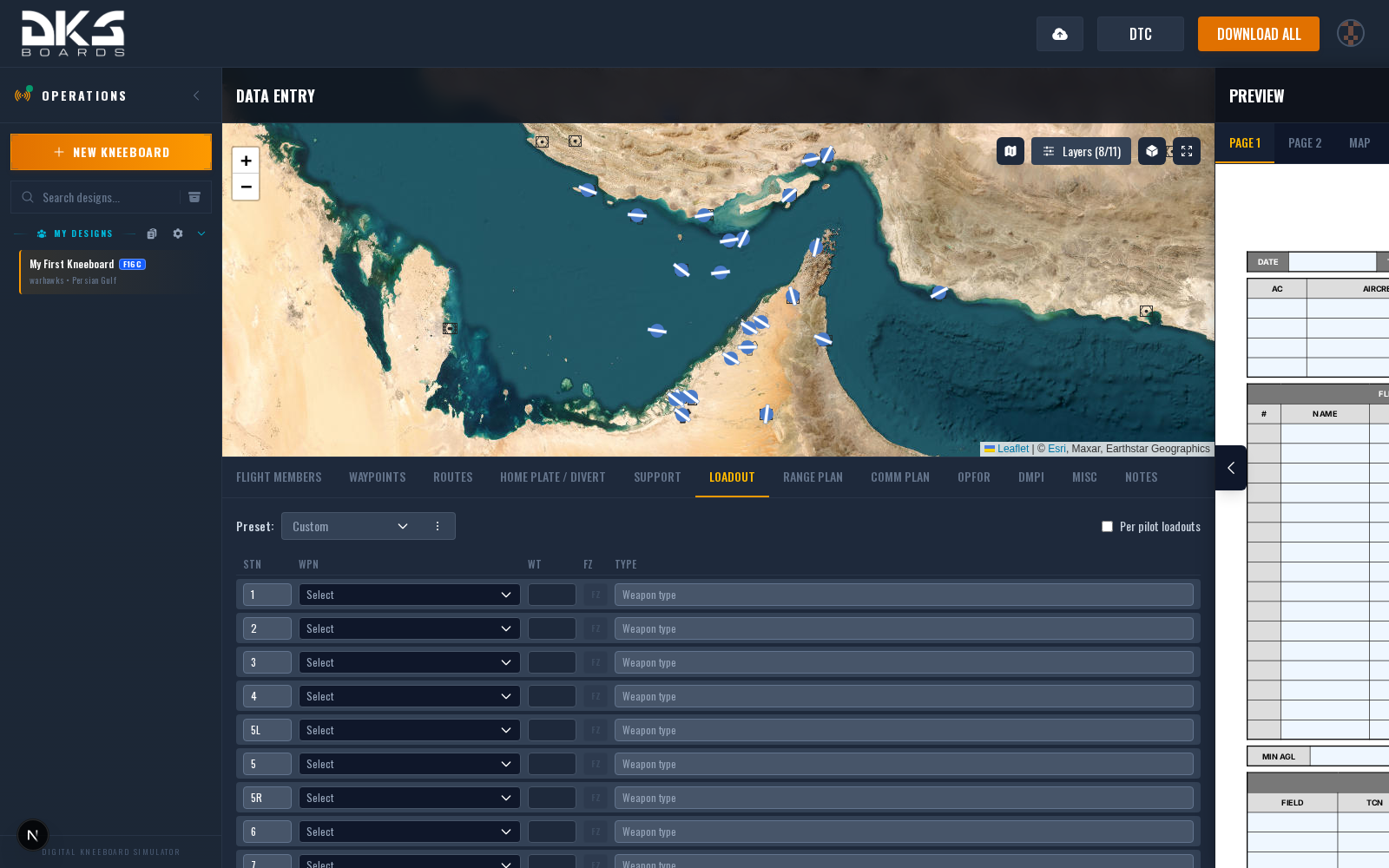
Loadout Modes
- Shared (default) -- One loadout shared by all flight members.
- Per pilot -- Each pilot gets their own loadout. Toggle this with the "Per pilot loadouts" checkbox.
Station Fields
The form displays 11 loadout rows. Each row has the following columns:
| Field | Description | Example |
|---|---|---|
| STN | Pylon or hardpoint identifier. Auto-populated from the aircraft's default pylon order when a weapons database is available. | 3 |
| WPN | Weapon selector dropdown. Only visible when the selected aircraft has weapons data. Shows compatible weapons for the current station. | (dropdown) |
| WT | Weight of the loaded weapon in pounds. Auto-filled when selecting from the weapons database. | 531 |
| FZ | Fuze settings button. Opens a popover with nose/tail fuze configuration. Highlighted amber when fuze settings are active. Disabled for weapons without fuze options. | (button) |
| TYPE | Weapon or store name. Auto-filled from the weapon selector, or enter manually. | AIM-120C |
| LSR | Laser code for guided munitions. Only visible if the active kneeboard template uses this field. | 1688 |
| REMARKS | Notes for this station. Only visible if the active kneeboard template uses this field. | Training |
Fuze Settings
Clicking the FZ button on a station opens a popover with weapon-specific fuze options. Defaults are auto-populated when you select a weapon from the database.
| Field | Description | Example |
|---|---|---|
| Nose Fuze | Nose fuze type. Options vary by weapon (e.g., M904, FMU-152, FZU-39). | M904 |
| Tail Fuze | Tail fuze type. Options vary by weapon. | M905 |
| Function Delay | Time from impact to detonation. Dropdown values range from instantaneous to hours, depending on the fuze. | Instantaneous |
| Arming Delay | Time after release before the fuze arms. May be fixed (non-editable) or selectable depending on the fuze and function delay combination. | 4.0s |
| Airburst Delay | Delay before airburst detonation. Only appears for FZU-39 proximity fuze. | 1.2s |
| Airburst Altitude | Burst altitude in feet. Only appears for weapons with proximity fuze capability. | 1500 ft |
| Laser Code | Laser code for guided munitions. Only appears for laser-guided weapons. | 1688 |
Weapons Database
All supported aircraft have a weapons database with station-compatible weapon lists:
| Aircraft | Stations | Notes |
|---|---|---|
| F-16C Viper | 11 | Pylon weight varies by A-A vs A-G load on pylons 3 and 7 |
| F/A-18C Hornet | 9 | Wingtip rails included |
| F-14B Tomcat | 10 | Fleet defense interceptor loadouts |
| A-10C Warthog | 11 | Full ground attack ordnance |
| AH-64D Apache | 6 | 4 wing pylons plus IAFS and MMA |
| OH-58D Kiowa | 5 | Left, Right, and 3 dash positions |
| AV-8B Harrier | 8 | Includes split station 4A/4B |
| C-130J Hercules | 3 | External fuel tanks and cargo bay |
When a weapon is selected from the dropdown, the TYPE, WT, and fuze defaults are filled automatically.
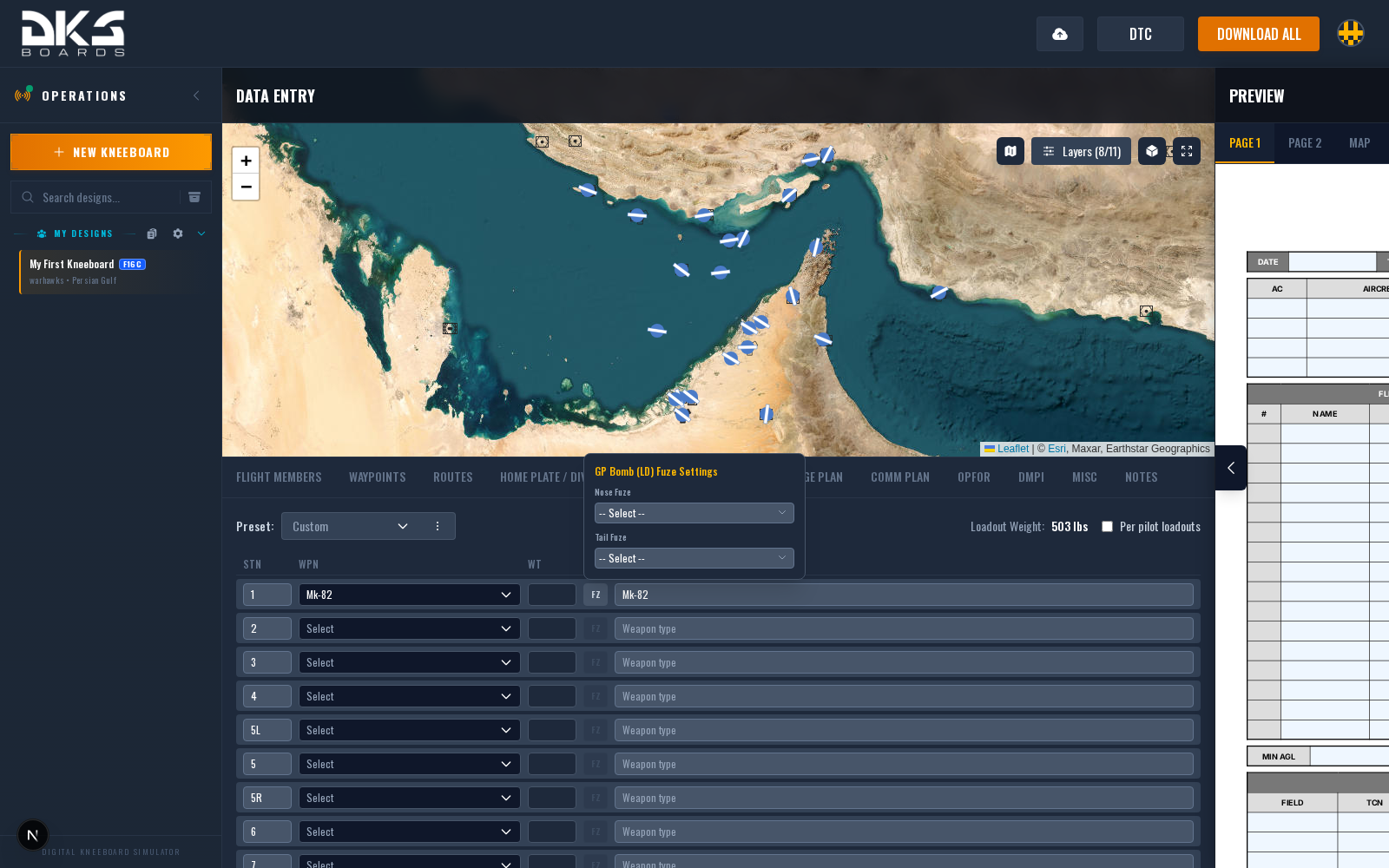
The weapons database is aircraft-specific. Make sure you have the correct aircraft selected in your design before configuring loadout.
Per-Pilot Loadout
When "Per pilot loadouts" is enabled, each flight member defined in the Flight Members tab gets their own loadout section. This is useful when aircraft in the flight carry different ordnance (e.g., one with bombs, another with JDAMs).
Each pilot can have their own loadout preset, making it quick to assign standard configurations.
Weight Tracking
The loadout tab displays Loadout Weight next to the preset selector -- the total weight of all loaded stores in pounds. This value feeds into the TOLD section (Misc tab), where it combines with empty weight, internal fuel, and gun ammo to auto-calculate Gross Weight and Rotation Speed.